

Contents
Ready to simplify, scale, and grow?
Subscribe to get the latest workforce management and payroll news in your inbox.
Managing a roster is rarely straightforward. Shift gaps can open at short notice, demand fluctuates, and tracking down the right person can eat up valuable time. Open shifts offer a smarter way to handle it. They give managers more control and make it easier for employees to take up available work.
What is an open shift?
An open shift is a shift that has been created on a roster, but not yet assigned to a specific employee.
Rather than manually selecting someone, the shift is made visible to all eligible employees who meet the set criteria. There are then multiple ways you can fill the shift quickly, giving you varying levels of control.
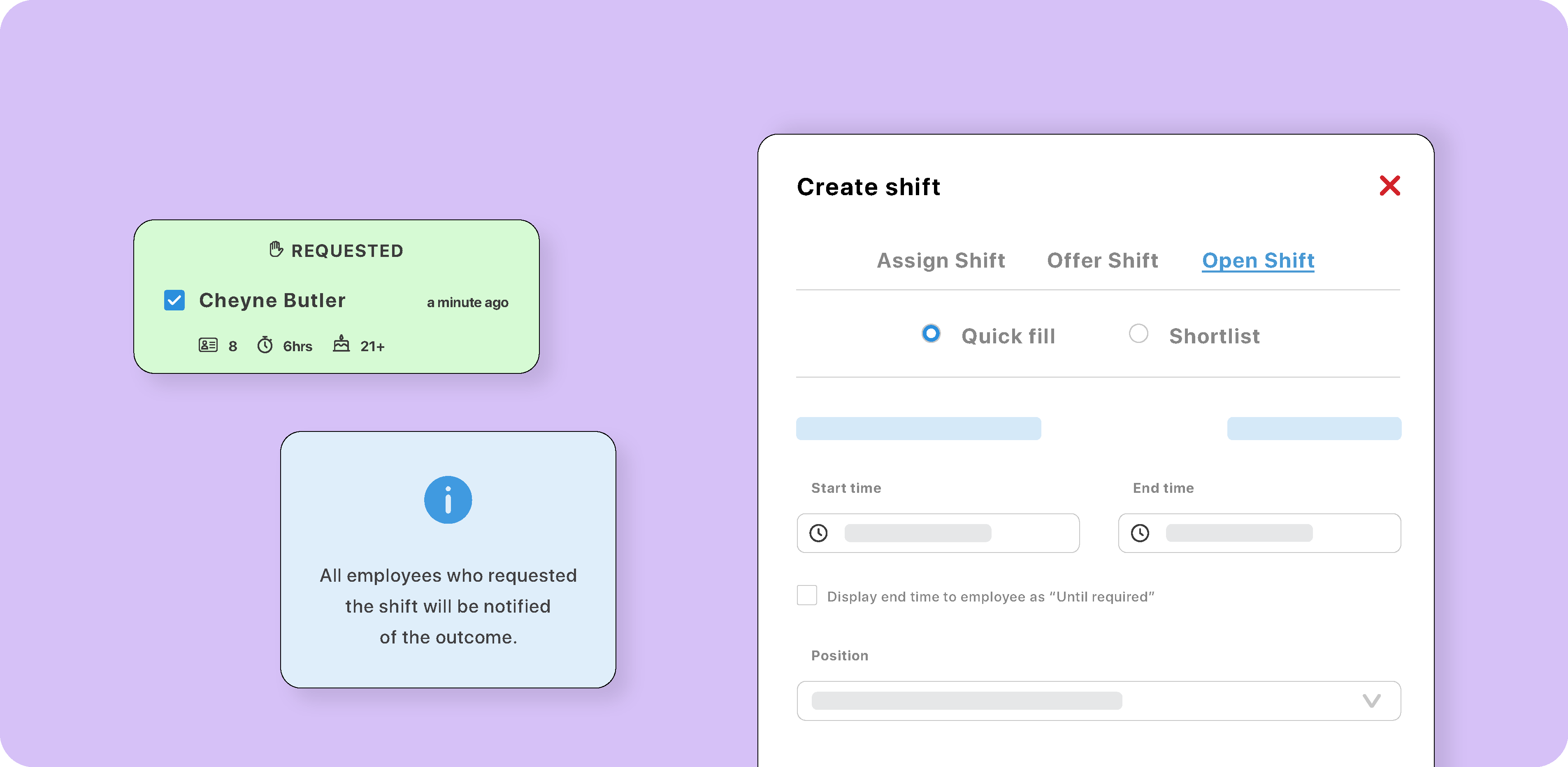
Using foundU, you can use set your ‘offer type’ as quick fill which enables a fast, first in best dressed approach. Alternatively, you can select ‘shortlist’ to let employees send a request and give managers full control over who is assigned.
Open shifts are commonly used in frontline workforces with fast changing customer needs. They’re also valuable in industries that need to fill large numbers of shifts quickly, and have to ensure that their meet strict compliance requirements including:
-
Hospitality
-
Aged care
-
Labour hire
-
Childcare
-
Healthcare
It’s also often beneficial for these industries to provide maximise exposure of available shifts to their workforce, encouraging employees to stay with them because there is lots of work.
Regular shifts offers vs open shifts
Open shifts are different to a traditional shift offer because the employer does not have to pre-select employees. It allows them to offer a shift to a wider pool of candidates who fit specific eligibility criteria.
| Regular shift offer | Open Shift | |
| Employee selection | Manager pre-selects specific employees | No pre-selection required, if you’re using foundU, all shifts will be sent to available matches |
| Who gets notified | Only chosen employees | All eligible employees |
| Employee input | Accept or decline only | Depending on whether you’re using foundU’s quick fill or shortlist feature, employees can accept shifts on a first in best dressed basis, or express their interest so the employer can make a final selection |
| Dynamic eligibility | Fixed at the time of sending | Updates as employees become eligible |
| Shift allocation | Shifts sent to one employee at a time | Shifts offered and opened up to multiple employees at a time |
Benefits of open shifts for employers
By being able to search and contact their entire workforce data more easily, roster managers can ensure they have the right people on at the right time while controlling their wage costs. Using an open shift feature like the one offered in foundU, you can:
-
Fill roster gaps faster: Publish a shift to your entire eligible workforce at once, rather than working through your employee list one by one. This is especially useful during peak periods or last-minute absences.
-
Stay in control of who gets assigned: foundU's shortlisting feature lets you review all requests in one place and compare candidates based on :experience and tenure, qualifications, and hours worked in the week.
-
Reduce admin back and forth: Requests are centralised, meaning you don’t have to manage individual messages and threads. You can simply send, review, and confirm them in one place, especially if you’re using foundU paired with its employee app.
-
Maintain compliance: Open shifts are matched to employee profiles based on qualifications, certifications, and availability, so only compliant, eligible employees are ever presented with a shift.
-
Better roster visibility: You can keep track of open and offered shifts in your rostering software. Every request and confirmation is tracked within foundU with confirmed shifts clearly moved to the selected employee.
Benefits for employees
- More opportunities to pick up work: Casuals and part-timers can proactively request shifts rather than waiting to be contacted.
- Greater schedule flexibility: Employees can request shifts that suit them, supporting better work-life balance.
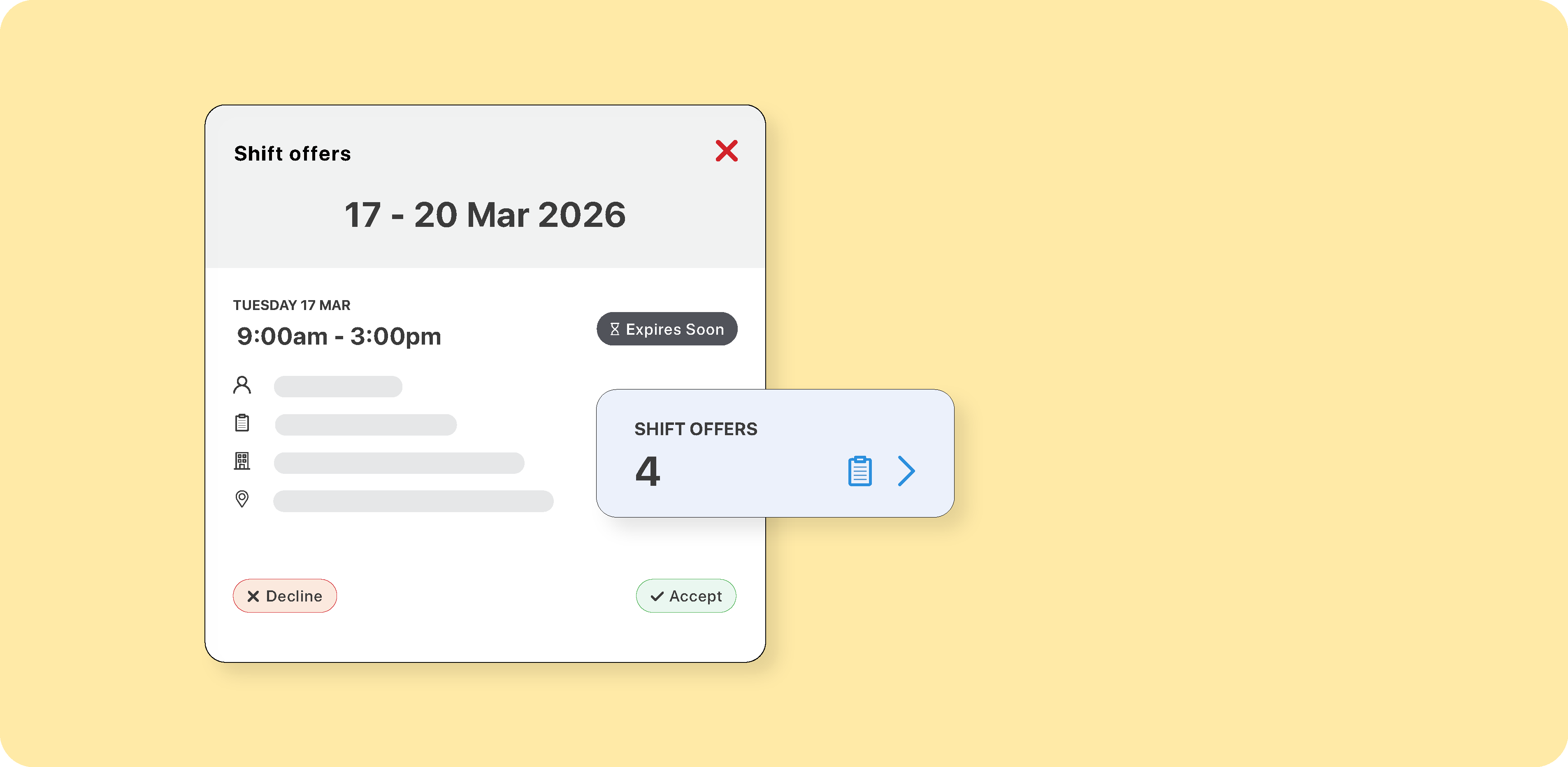
- A dedicated space to manage available work: foundU's employee app has an offers page for viewing and responding to shifts in one place.
- Transparent outcomes: Employees who aren't selected receive a notification, helping with trust and communication.
FAQs
Many employers have lots of questions about how to make open shifts work in practice. These are some additional considerations to ensure they work smoothly.
What is shift shortlisting?
A feature that requires employees to register interest in an open shift, allowing managers to review all requests and select the most suitable candidate. This gives you an additional layer of control over the final selection.
Can managers control who sees an open shift?
Yes. Only employees who meet the criteria set at creation, including role, qualifications, availability, tenure, experience, and qualifications, will see the shift.
What if more than one person requests the same shift?
The manager reviews all requests, grouped by status, and selects the best candidate. Those not selected are notified of the outcome.
Are open shifts suitable for all industries?
They're best suited to industries with variable staffing needs, such as hospitality, aged care, labour hire, healthcare, and childcare, but any business filling casual or variable shifts can benefit.
Want to see how open shifts work in foundU? Book a demo with our team and we'll walk you through our powerful rostering features.